
Software
Beyond protected area network design, Marxan has been applied to a range of conservation planning challenges, from designing optimal poaching patrols for game reserves and identifying where to conserve essential ecosystem services, to helping with transboundary ocean planning and understanding where transnational collaborations might best be prioritized to achieve conservation goals.
For an introduction to Marxan using ArcGIS developed by The University of Queensland and Pacmara, please download the Tutorial. For an introduction to Marxan using the open source GIS software QGIS, please see "Companion Tools" and the CLUZ introduction presentation here.
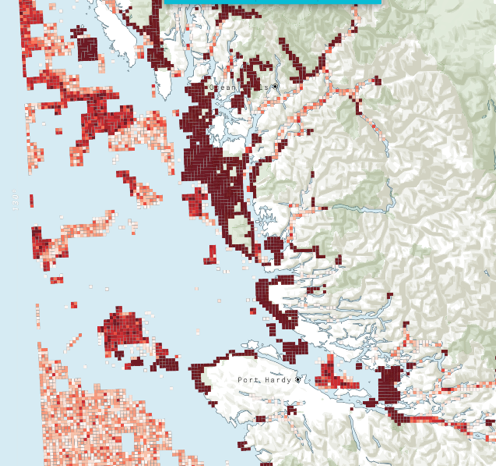
Example of the Selection Frequency map from the British Columbia case-study available in the Marxan tutorial.
Cite Marxan:
Ball, I.R., H.P. Possingham, and M. Watts. 2009. Marxan and relatives: Software for spatial conservation prioritisation. Chapter 14: Pages 185-195 in Spatial conservation prioritisation: Quantitative methods and computational tools. Eds Moilanen, A., K.A. Wilson, and H.P. Possingham. Oxford University Press, Oxford, UK.
Key References
Coming Soon
Marxan Web is a decision-support platform for doing Systematic Conservation Planning over the web and for sharing the results amongst stakeholders and the conservation community. It builds upon the existing Marxan software and offers the following new features and benefits:
- Streamlined access to spatial data layers from our partners (in development)
- Training and demonstration tutorials (in development)
- Built in geoprocessing and file construction
- Improved mapping and visualization capabilities
- Sharing and learning with other users
Marxan web is being developed in collaboration with The Nature Conservancy and the BIOPAMA project of the European Commission's Joint Research Centre. Pilot testing is currently underway.



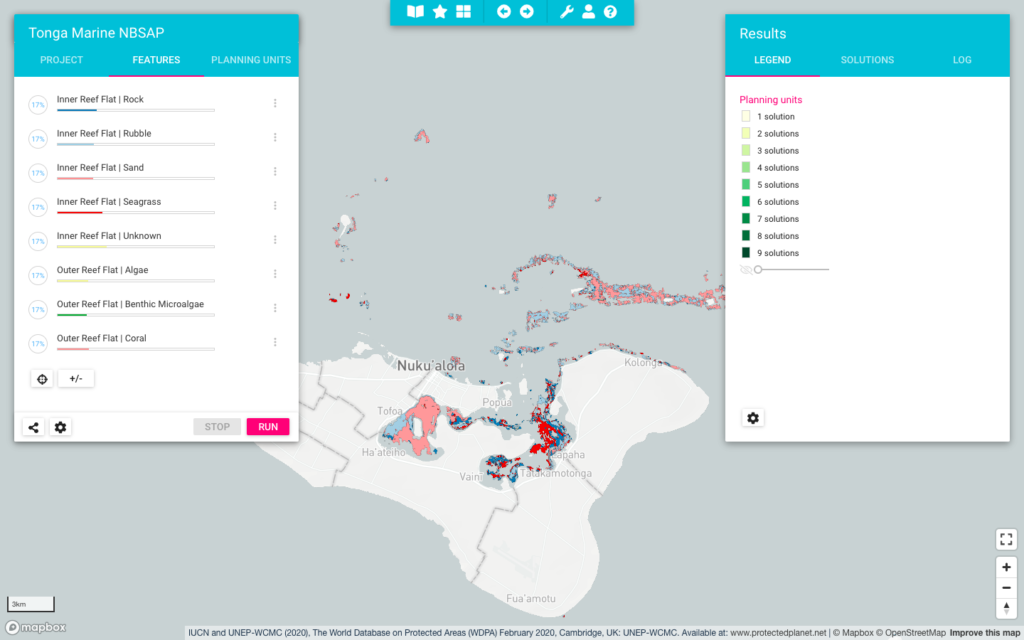
Snapshot of the Marxan web interface where you can set targets for features, visualize outputs, change parameters and manage projects all in one location.
Marxan with Zones has the same functionality as Marxan but extends on the range of problems the software can solve and allows for the incorporation of multiple costs and zones into a systematic planning framework. Applications could be zoning for marine protected areas with various protection levels or landscapes that balance agriculture, biodiversity protection, and sustainable forestry zones. Marxan with Zones assigns each planning unit in a study region to a particular zone in order to meet a number of ecological, social and economic objectives at a minimum total cost.
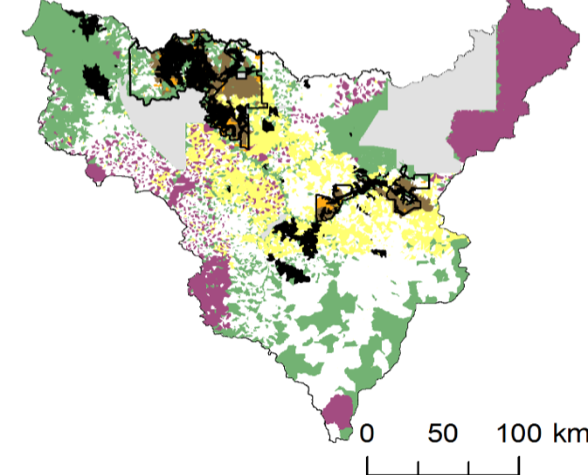
Example of different zoning allocation using Marxan with Zones. Image from V. Adams
Cite Marxan with Zones
Watts, M.E, I.R. Ball, R.R. Stewart, C.J. Klein, K. Wilson, C. Steinback, R. Lourival, L. Kircher, and H.P. Possingham. 2009. Marxan with Zones: software for optimal conservation based land- and sea-use zoning, Environmental Modelling & Software (2009), doi:10.1016/j.envsoft.2009.06.005
Key References


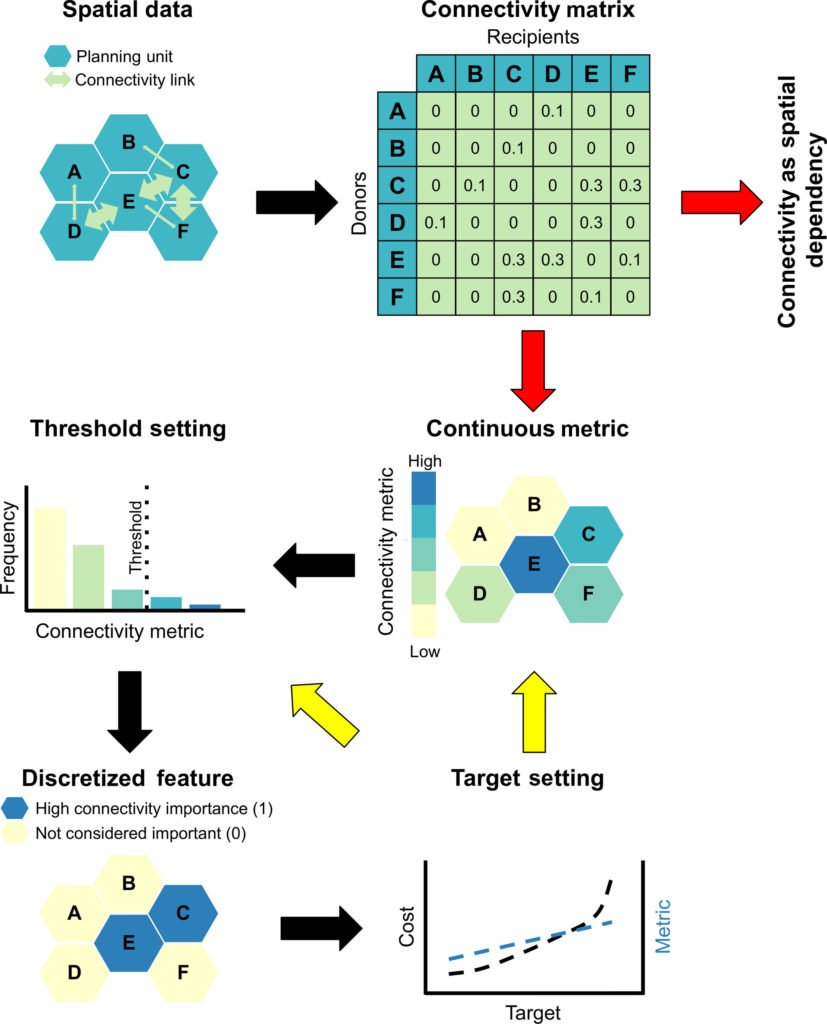
Schematic of different ways to incorporate connectivity data into Marxan (from Daigle et al. 2020).
Key References
Similar to Marxan with Connectivity, Marxan with Probabilities is available in Marxan versions 2.43 and above. To call this additional function, you need to edit the input.dat file and compile the appropriate input files. See software documents and datasets for more details.
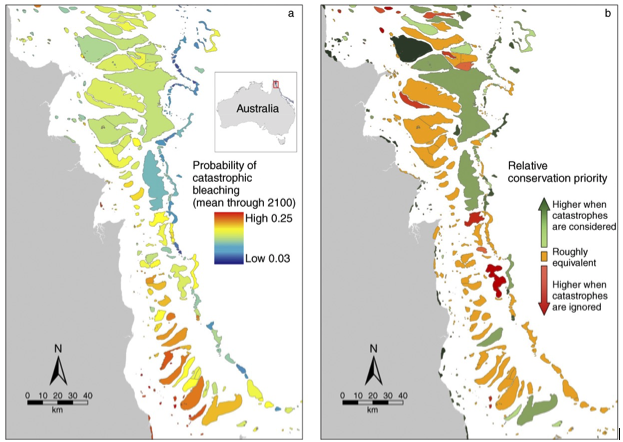
Example of how Marxan with Probabilities can be used to understand priorities given the likelihood of catastrophic climate change.
Key References

Zonae Cogito
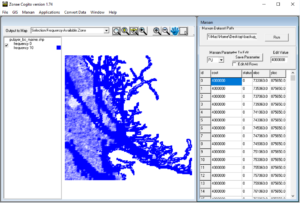
Zonae Cogito is a freely available software package that help manage and visualise Marxan projects. The interface streamlines and simplifies the development and evaluation of alternative planning scenarios, allows direct editing to input files, calibrates parameters, and helps users easily access important output files for evaluation.
Software

Software Documents
Key References
CLUZ
Software
Citation
MARXAN TOOLBOXES
ArcMarxan Toolbox
The ArcMarxan Toolbox is a free / open source python toolbox for ArcMap 10.2 and above that makes creating input files for Marxan simple, quick and easy. ArcGIS Pro is NOT supported.
QGIS Toolbox
QMarxan can be found in the QGIS repository. To install:
- In QGIS, click the "Plugins" menu, and click "Manage and Install Plugins..."
- In the search box, enter “QMarxan Toolbox”, select the tool and click on “Install plugin”. The close the window.
- Click on the toolbox If you successfully installed the tools, you should see the QMarxan Toolbox (1.1) listed in the toolbox panel.
PRIORITIZR
Software
Citation
Register Your Expression of Interest for Teaching Resources
We are currently working to develop an online teaching application, hosted in the cloud, with curated case-studies to help you teach the concepts of spatial planning with Marxan. Once completed, this resource will be available to you to offer custom training in conservation planning theory. To register your interest in using this application in your practice or teaching, please fill out the below form and we will be in touch with further instructions to use this resource. A standard Marxan course using desktop tools is available in the Marxan Tutorial.